Industry / Corporate and enterprise

Every screen, every office,one platform.

Digital signage, meeting-room TVs, trading walls and live company-wide broadcasts on one browser portal. Permissions by tag, single sign-on with Active Directory, LDAP or SAML, screens activated with a six-digit code, and an API your fire-alarm and room-booking systems can call.

It runs on your own network, in your own building, and keeps running when the internet does not.

What changes across the estate

Better outcomes for employees, IT, facilities and the business

One system for the screens people watch, the rooms they meet in and the messages that must reach everyone.

For employees

A company-wide broadcast at the same moment on every screen

  • The address goes out as one multicast channel through Playout, so every screen tuned in sees the same frame; remote offices receive it by SRT.
  • A company channel from Symphony in your branding: news, figures and a web page beside the live video.
  • Live TV and radio with a seven-day guide in break areas and the canteen.
  • Dashboards and intranet pages shown as live content, with no export step.
For IT

Standard network, standard sign-in

  • Runs on your own IP network with nothing to install at the desk: Chorus is a browser portal.
  • Single sign-on with Active Directory, LDAP or SAML; users get admin, viewer or a location tag.
  • Appliances cover for each other, and a replacement adopts the settings of the one it replaces.
  • Updates and maintenance can be delivered on site, and a fully air-gapped deployment is an option.
For facilities

Power, inputs and schedules without walking the floor

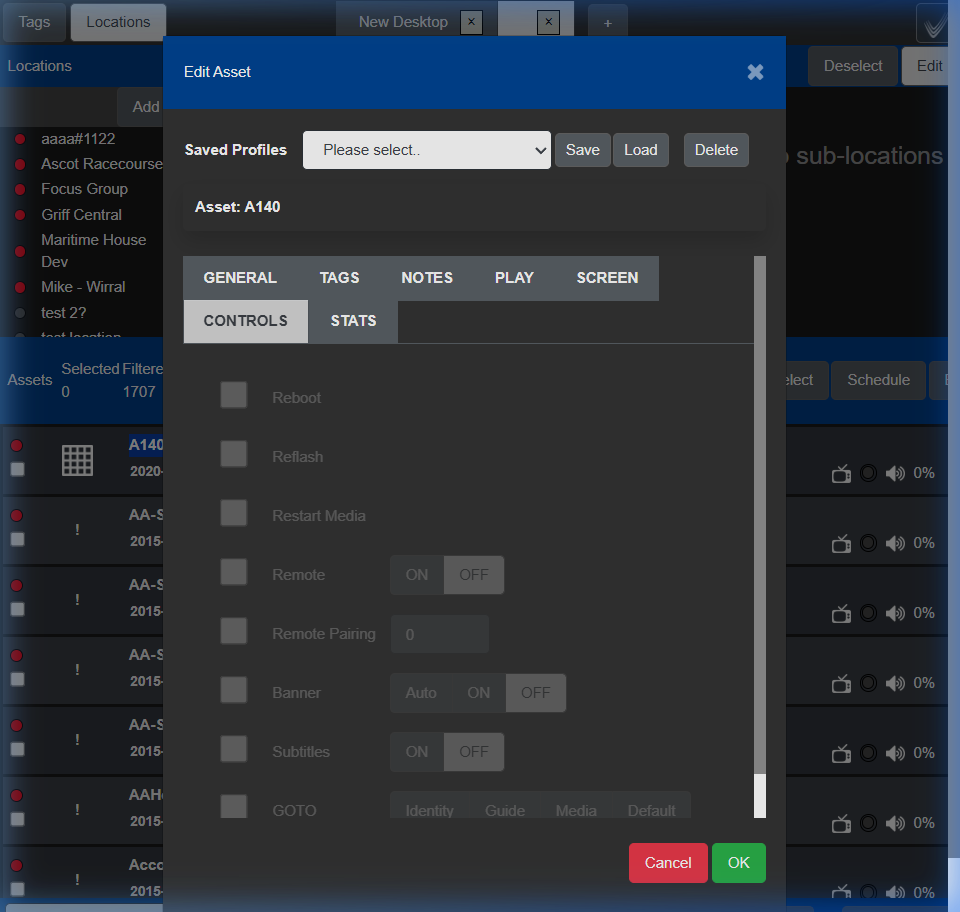
  • Conductor turns screens on and off on schedule, switches a meeting-room TV back to its HDMI input, and locks the remote in public areas.
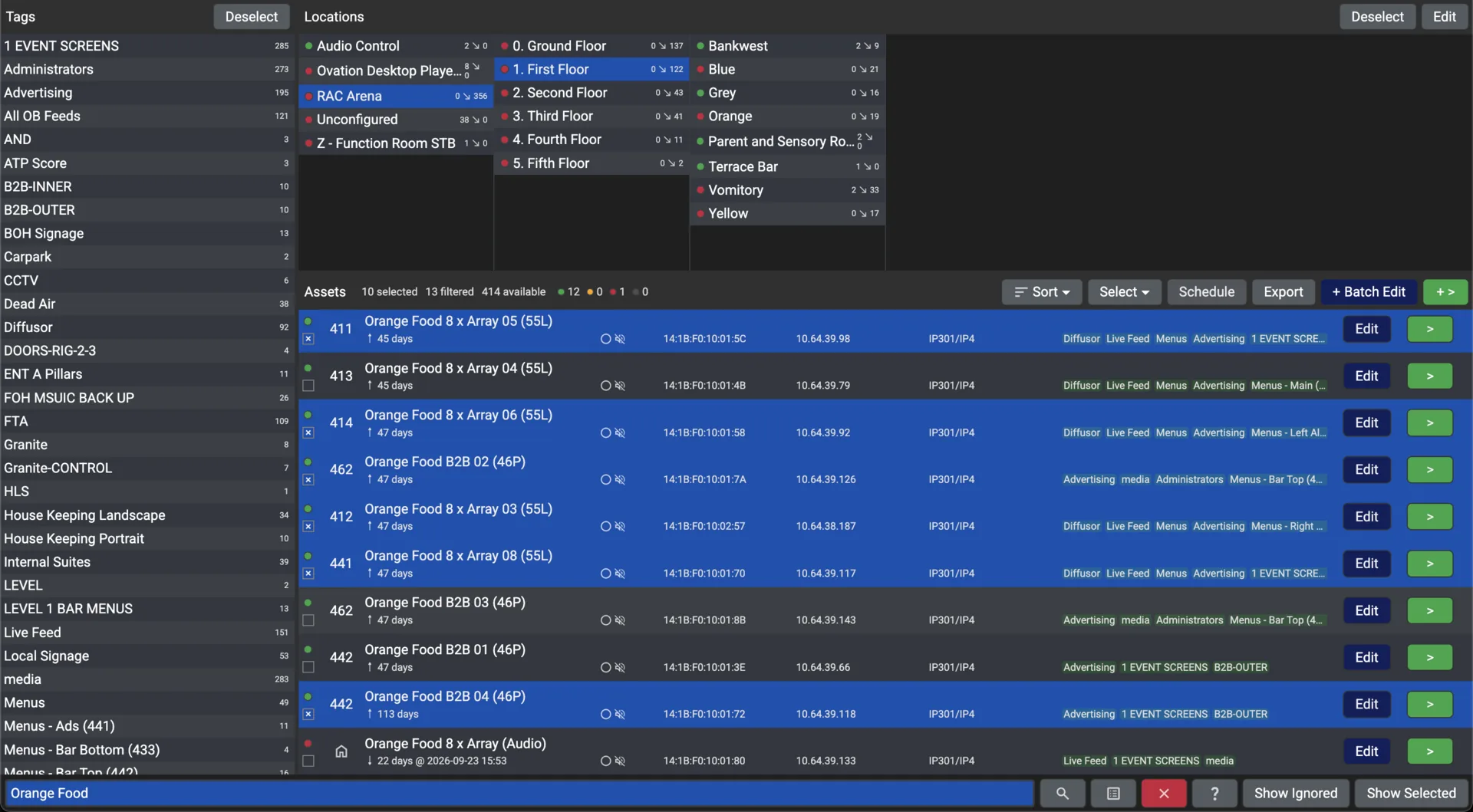
  • Batch mode applies a change to every screen on a floor at once; profiles save the combinations you use.
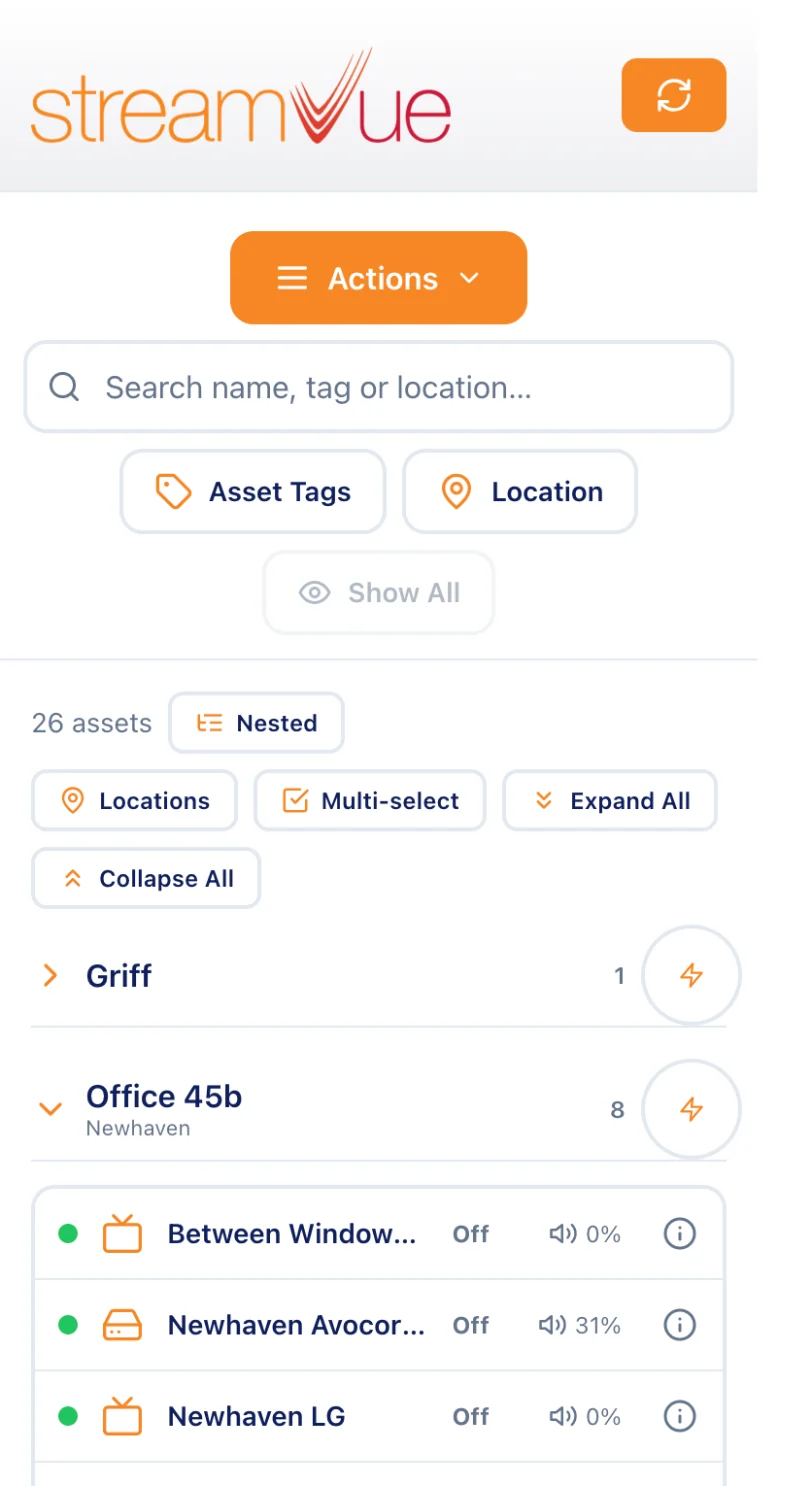
  • StreamVue Remote on a phone, and the identity screen to label a new TV in one walk-round.
  • A QR tag on each unit reports a fault to the support portal with the serial already filled in.
For the business

One system instead of five

  • Signage, TV distribution, meeting rooms and emergency messaging on one platform and one contract.
  • Fire-alarm panels, room booking and building management call the Chorus API to put a message on every screen, or on one zone.
  • The event log is the record of what each screen showed and when.
  • Commercial TVs without set-top boxes, and no additional licensing per user.

Around the building

From the lobby to the loading bay

Each area gets its own channels, layouts and schedules from the same portal, and the same screens carry an alert when it matters.

  1. 01
    Reception and lobby

    Welcome and wayfinding from Symphony, switched by schedule through the day.

    Symphony
  2. 02
    Trading floor and market walls

    Channels by tag, tuned on a Conductor schedule at the open.

    Conductor
  3. 03
    Meeting rooms

    The room TV shows the video-conference HDMI input during a meeting and goes back to the company channel afterwards, on schedule.

    Conductor
  4. 04
    Canteen and break areas

    TV and radio with the guide, and the company channel at lunchtime.

    Ovation
  5. 05
    Manufacturing and warehouse

    Shift and safety information as web pages in a layout, and an alert from the building system through the API.

    Chorus
  6. 06
    Remote offices

    The same channels by SRT over the internet, managed from the same portal.

    Vivo
The Controls tab of a screen in Conductor: power, input, volume, remote lock and channel banner
A screen’s controls in Conductor: power, input, volume, remote lock and the channel banner. From the Chorus user guide.
A working day on StreamVue

Every screen, every shift

A realistic timeline of StreamVue running the floor: automation, failover and orchestration invisible to everyone except the operators who trust it.

07:45

Trading open

Market walls wake on a Conductor schedule and tune to their channels; reception screens switch to the morning playlist.

11:00

Company-wide broadcast

The address goes out as one multicast channel through Playout, so every screen tuned in sees the same frame at the same moment; remote offices receive it by SRT.

14:23

Fire drill

The alarm panel calls the Chorus API; every screen, or the screens of one fire zone, switches to the evacuation slide in under a second.

18:30

End of day

Signage switches to the evening playlist, meeting-room screens go back to their default input, and the screens power off on schedule.

Fits the estate you run

Your network, your directory, your building systems

StreamVue joins what IT already runs rather than asking for a parallel one.

Single sign-on

Active Directory, LDAP or SAML, with admin, viewer and location-tag permissions.

The Chorus API

The REST API the portal itself uses, called by fire-alarm panels, room booking, building management and room-control systems such as Crestron, Extron, Control4 and KNX.

No set-top boxes

Ovation runs on LG ProCentric and Samsung SSSP TVs, on decoding devices, Raspberry Pi and Linux players, and on the desktop.

Works without the internet

Everything runs on the appliances on your own network, so an internet outage changes nothing for anyone inside it.

A browser portal

Nothing to install for operators; the same sign-in on the dashboard, the portal and the apps.

An event log

What each screen showed and when, with usage statistics, exportable in standard formats.

One platform for every office

Book a walkthrough with our team and bring your IT and facilities leads.